

- This topic is empty.
-
AuthorPosts
-
2026-11-06 at 5:55 pm #13295
Understanding Inverter Compatibility in Home Energy Storage Systems
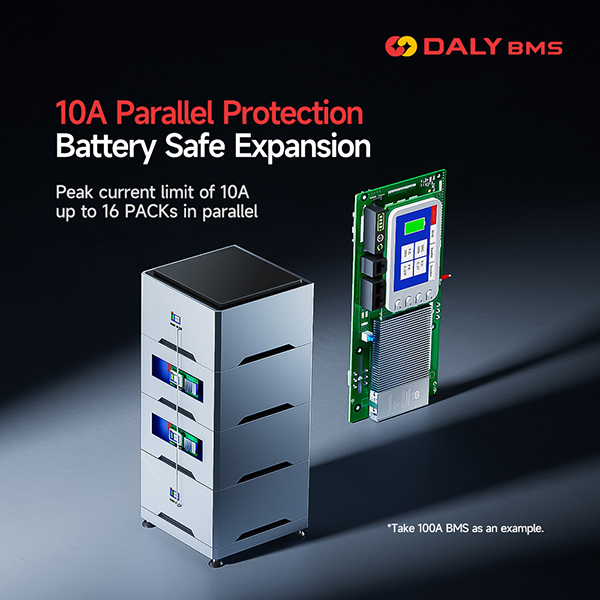
When selecting a battery management system (BMS) for a home energy storage system, inverter communication compatibility is an important consideration. The BMS and inverter need to use compatible communication protocols and configurations to exchange relevant battery information and support coordinated system operation.
For battery pack manufacturers, energy storage system integrators, and OEM customers, confirming compatibility between the BMS and the inverter before installation can help reduce integration issues and avoid selecting an unsuitable configuration.
DALY’s 4th Generation LK and LM Battery Management Systems are designed for home energy storage applications. Both models support Li-ion and LiFePO4 battery chemistries, 8S and 16S configurations, and CAN and RS485 communication through the interface board.
This guide introduces the communication architecture, documented inverter brand compatibility, and the information customers should provide when requesting technical compatibility verification.
1. DALY LK and LM BMS: Product Overview
The DALY 4th Generation LK and LM BMS are two home energy storage models designed for different continuous current requirements.
Both models support:
-
Li-ion and LiFePO4 battery chemistries
-
8S and 16S battery configurations
-
CAN and RS485 communication through the interface board
-
Passive balancing
-
Optional active balancing
-
Parallel current limiting functionality
The primary difference between the two models is their continuous charge/discharge current rating.
Specification 4th Gen LK BMS 4th Gen LM BMS Battery chemistry Li-ion / LiFePO4 Li-ion / LiFePO4 Series configuration 8S / 16S 8S / 16S Continuous charge/discharge current 100A 150A / 200A Passive balancing current 150mA 150mA Optional active balancing Peak 1A Peak 2A Parallel current limiting Peak 10A Peak 10A Continuous parallel current limiting 2A 3A Mainboard communication 2 × UART 2 × UART Interface board communication CAN + RS485 CAN + RS485 The appropriate model should be selected according to the battery pack’s required current, configuration, and system integration requirements.
2. Communication Architecture: UART, CAN and RS485
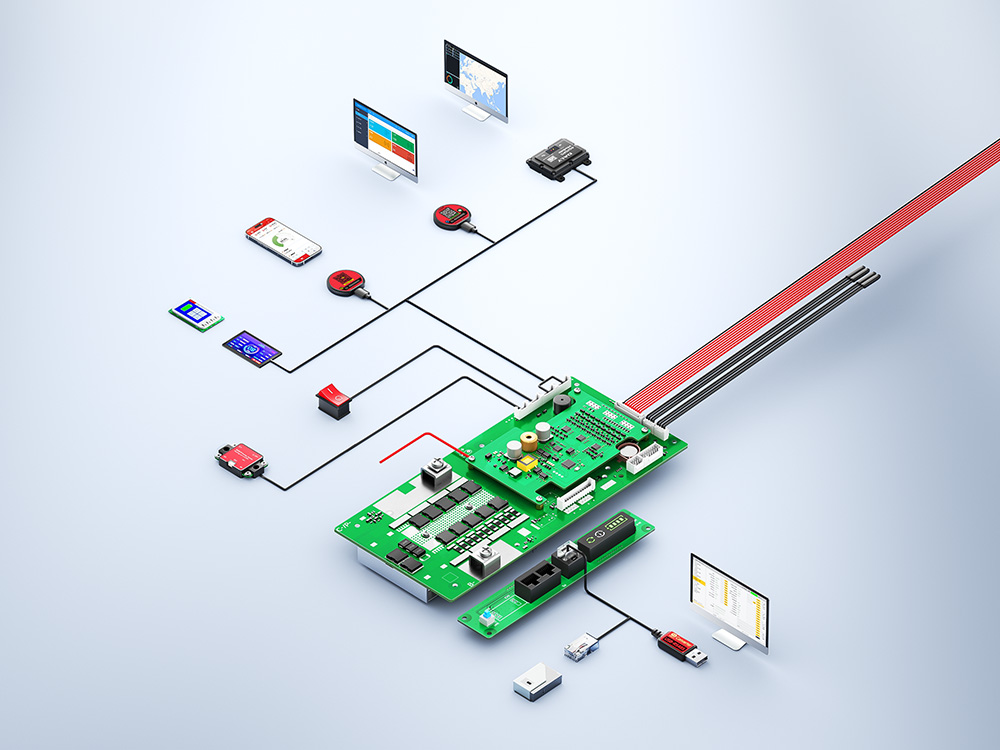
The DALY LK and LM BMS use a communication architecture with separate mainboard and interface board connections.
Mainboard communication:
-
Two UART communication ports.
Interface board communication:
-
CAN communication.
-
RS485 communication.
CAN and RS485 are the two communication interfaces documented for inverter integration on the LK and LM platform.
However, supporting a communication interface does not automatically mean that every inverter using that interface is compatible. The actual communication protocol, inverter model, firmware, and selected BMS configuration must be considered.
Customers should therefore confirm the exact inverter model and communication requirements before ordering.
3. DALY LK and LM BMS: RS485 Inverter Compatibility
According to DALY’s supplied inverter compatibility information, the following inverter brands are listed for RS485 protocol compatibility:
RS485 Protocol Listed Inverter Brands 1 Voltronic Power 2 Growatt 3 Sacolar 4 SRNE 5 Pylon 6 Deye These brands represent the RS485 compatibility combinations covered by the supplied DALY technical materials.
For customers planning to integrate a DALY BMS with an RS485-compatible inverter, the exact inverter model and communication requirements should be confirmed before selecting the final configuration.
4. DALY LK and LM BMS: CAN Inverter Compatibility
The supplied DALY compatibility information also lists the following inverter brands for CAN protocol communication:
CAN Protocol Listed Inverter Brands 1 Sacolar 2 Growatt 3 Victron 4 GoodWe 5 Solark 6 Xtender 7 SMA 8 Aiswei 9 Deye 10 SOFAR 11 MUST The compatibility list provides customers with an initial reference when evaluating inverter integration options for home energy storage projects.
Some brands, including Sacolar, Growatt, and Deye, appear in both the RS485 and CAN lists.
This does not mean that every inverter model from these brands supports both communication methods with the DALY BMS. The applicable protocol must be verified for the specific inverter model and configuration.
5. Does Compatibility with an Inverter Brand Mean All Its Models Are Supported?
No. Compatibility with a particular inverter brand should not be interpreted as universal compatibility with every inverter model manufactured by that brand.
Different inverter models may use different communication protocols, communication settings, firmware versions, and configuration requirements.
For this reason, customers should distinguish between:
-
Communication interface support: Whether the BMS provides CAN or RS485.
-
Protocol compatibility: Whether the selected BMS protocol matches the inverter’s communication requirements.
-
Model-level compatibility: Whether the exact inverter model has a compatible communication configuration.
-
System-level verification: Whether the selected BMS and inverter configuration can work together in the intended battery system.
DALY’s supplied compatibility information identifies the listed protocol combinations as having undergone parallel PACK testing and joint debugging.
The documented compatibility scope should not be extended to all models under the listed inverter brands.
For projects involving an inverter model that is not clearly covered by the supplied compatibility information, technical confirmation is recommended before purchase or integration.
6. What Information Is Required to Verify Inverter Compatibility?
To help identify a suitable DALY LK or LM BMS configuration, customers should provide the following project information.
Battery specifications
-
Battery chemistry: Li-ion or LiFePO4
-
Battery series configuration: 8S or 16S
-
Required continuous charge current
-
Required continuous discharge current
Inverter specifications
-
Inverter brand
-
Exact inverter model
-
Required communication interface: CAN or RS485
-
Available communication protocol information
-
Relevant firmware or communication configuration information, if available
System requirements
-
Whether multiple battery packs will be connected in parallel
-
Required balancing function
-
Additional functions or accessories
-
Any special communication requirements
Providing these details helps the technical team evaluate the application and determine whether the proposed BMS configuration is suitable.
7. Customization for Different Home Energy Storage Projects
Different home energy storage projects may have different battery specifications, inverter communication requirements, and structural designs.
In addition to standard product configurations, DALY supports customization in the following areas:
Current specification customization
Current specifications can be discussed according to the requirements of the battery pack and application.
Communication protocol customization
Communication protocol customization is available for projects with specific inverter integration requirements. Technical feasibility requires individual confirmation.
**Hardware and struc
-
-
AuthorPosts

- You must be logged in to reply to this topic.